Over the years I've used a lot of different note taking apps and list managers. Evernote, Apple Notes, Notion, Obsidian, Craft, Google Docs, even just plain Word documents. They all have their strengths and I've spent decent amounts of time in each of them, but I kept running into the same frustrations. Subscription costs that add up, concerns about who can see my data, and that uncomfortable feeling of being locked in where if you stop paying you lose access to your own notes.
I think what bothered me most was that my notes and lists are pretty personal, they're how I organise my thinking, and I just wanted them on my machine. Not in someone else's cloud, not behind a login, just files on my Mac that I own and control. There are some benefits to cloud access sure, being able to get to your notes from anywhere sounds great, but in practice it's never been as simple or as reliable as it should be.
So I built something for myself, and it turned into Lists & Notes.
What I was actually looking for #
I wanted something that combined note taking and list management in one place without being overcomplicated. A lot of apps try to do everything and end up doing nothing particularly well, or they start simple and then keep adding features until they become the thing you were trying to get away from.
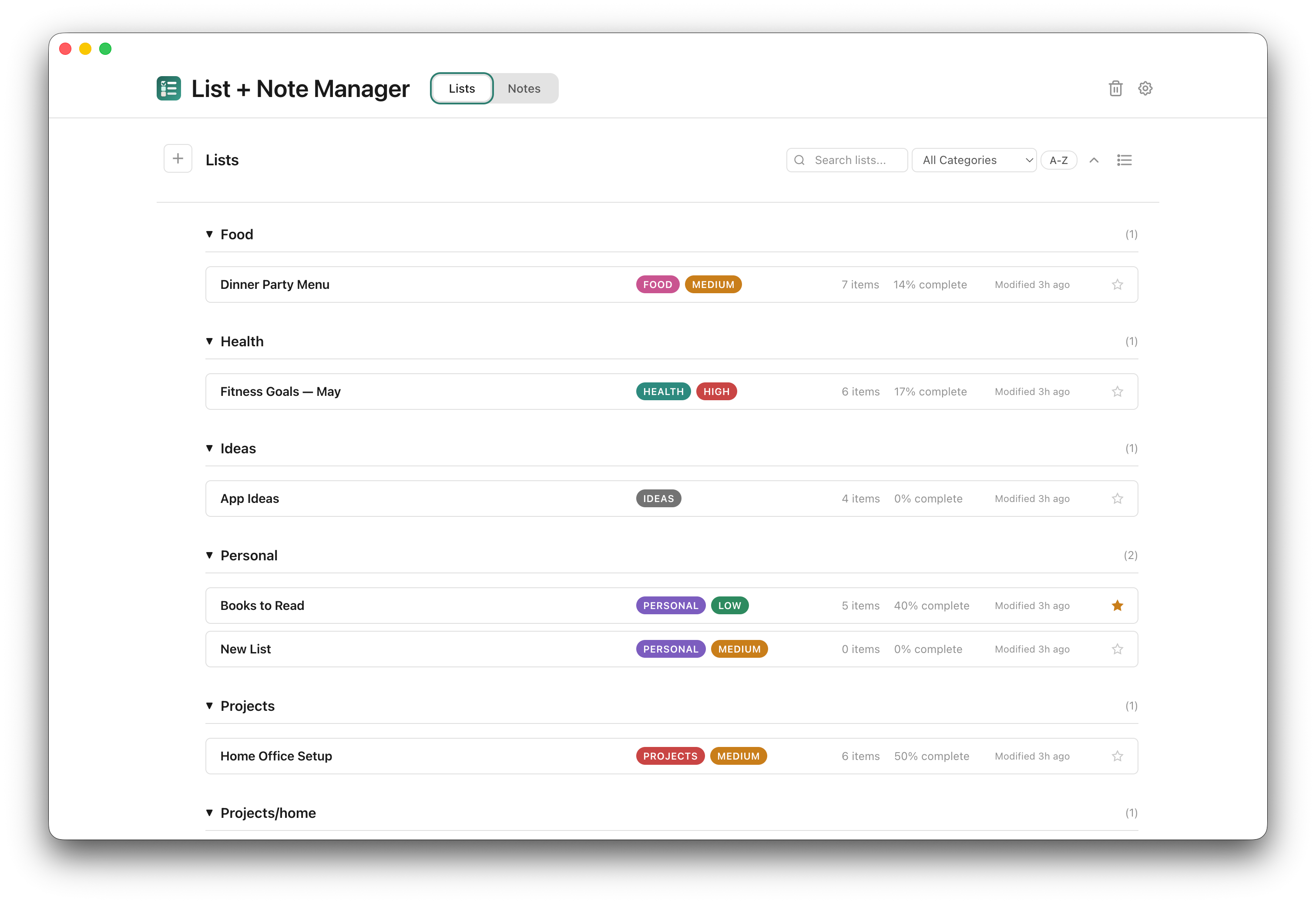
For notes I wanted to write in Markdown with a proper live preview, not something that feels like a code editor but something that's actually pleasant to write in, where you can see your formatted text updating as you type. For lists I wanted simple checkable items with priorities and categories, the kind of thing where you can quickly throw together a shopping list or a project checklist without it feeling like you're setting up a project management tool.
I also wanted categories that matched how I actually think. Not tags scattered everywhere but proper categories with subcategories, like work and personal, or travel with a subfolder for japan. Nested so you can organise things how they make sense to you, and filter and search when you need to find something.
Writing in Markdown #
One of the things I feel strongly about is that notes should be stored in a format that isn't going to lock you in. Lists & Notes stores every note as Markdown, and you can easily export any note to PDF, to a Word doc, or just copy the Markdown to the clipboard and paste it wherever you like. If you need to send meeting notes to a colleague or put together something that looks a bit more professional, the app has font choices and optional metadata so your PDF exports come out looking clean.
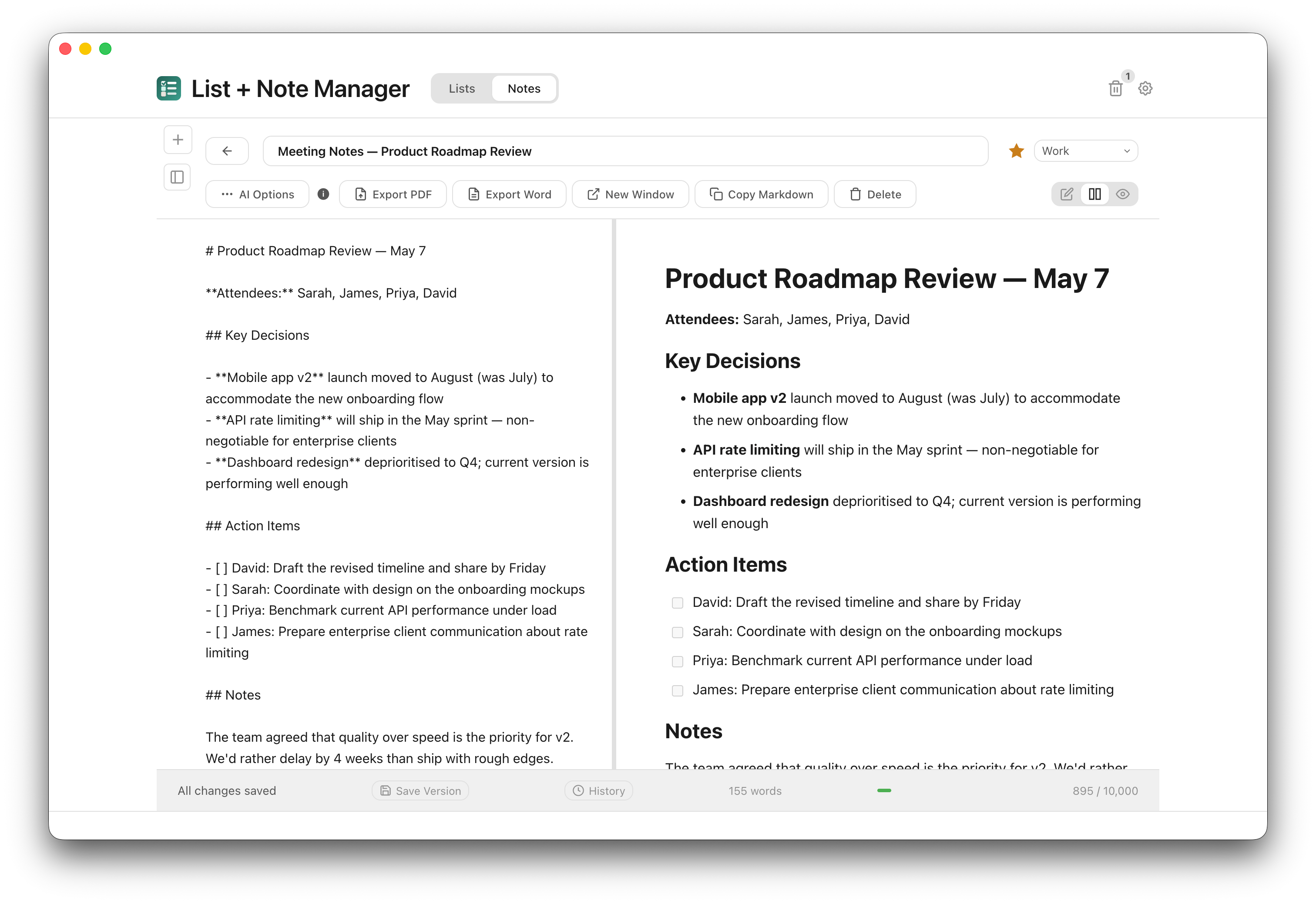
The editor gives you a side by side view where you type on the left and see the rendered version on the right, which I think is the right way to work with Markdown. Headings, tables, code blocks, checklists, it all renders in real time as you write.
AI features if you want them #
I added AI features but they're completely optional, you don't need an API key and the app works perfectly fine without one. If you do add your own Claude or OpenAI key you get grammar and spelling checks, a writing improvement tool, and TLDR summaries for longer notes. For lists the AI takes what you already have in your list and suggests new items, you pick what you want and add them.
One thing I was careful about is that it saves a version of your note before any AI changes, so if the grammar check rewrites something in a way you don't like you can undo it straight away. There's a full version history as well if you need to go back further. Your API key is encrypted on your machine and when you use an AI feature only that specific note gets sent to the provider, nothing else.
Everything stays on your Mac #
I think this is the part that matters most to me. No account, no cloud, no tracking. Your notes, lists, settings, backups, all on your machine. The app does daily auto-backups and keeps 15 of them rolling so if something goes wrong you can restore from any recent point.
With this Mac desktop app you can still choose to export your data, to back it up and store copies in your own cloud service. The app is yours to keep with no ongoing payments to access, so at any time you could reinstall and import one of your backups. It's just a JSON file so you can open it up in a text editor and extract what you need, or if you want you could also give it to your preferred AI tool to extract the content.
In future I'll be adding additional bulk exporting options for notes as well. I will be continuing to refine this app since I'm using it myself daily. I think this is how you make good software, to know from experience what works and what doesn't, and to be a daily active user so that you can ensure it works well and continues to deliver over time.
One time purchase with free updates #
Did I mention it's a one-time purchase? I think subscriptions make sense for services with ongoing server costs, but a desktop app that runs locally and stores files on your machine doesn't really have those costs. It's $10 USD on Gumroad and that includes free updates going forward. When I push an update the app detects there's a new version available and you can download the latest from your Gumroad purchase page, install it and select replace, it keeps all your files.
If you are like me and like to take precautions with software updates, knowing that no matter how much a company tests and tests a new release things don't always show up until it hits the real world of users, then you'd want to export a backup before you reinstall. It's a good habit to have with any software really, not just this one, but Lists & Notes makes it easy to do.
I put together a short demo video if you want to see it in action, and there's more detail on the product page. This is the third Mac app I've shipped under Tiong Creative and it's the one I find myself using every day. If you've been looking for something straightforward and private for your notes and lists on your Mac, I hope it's useful to you.